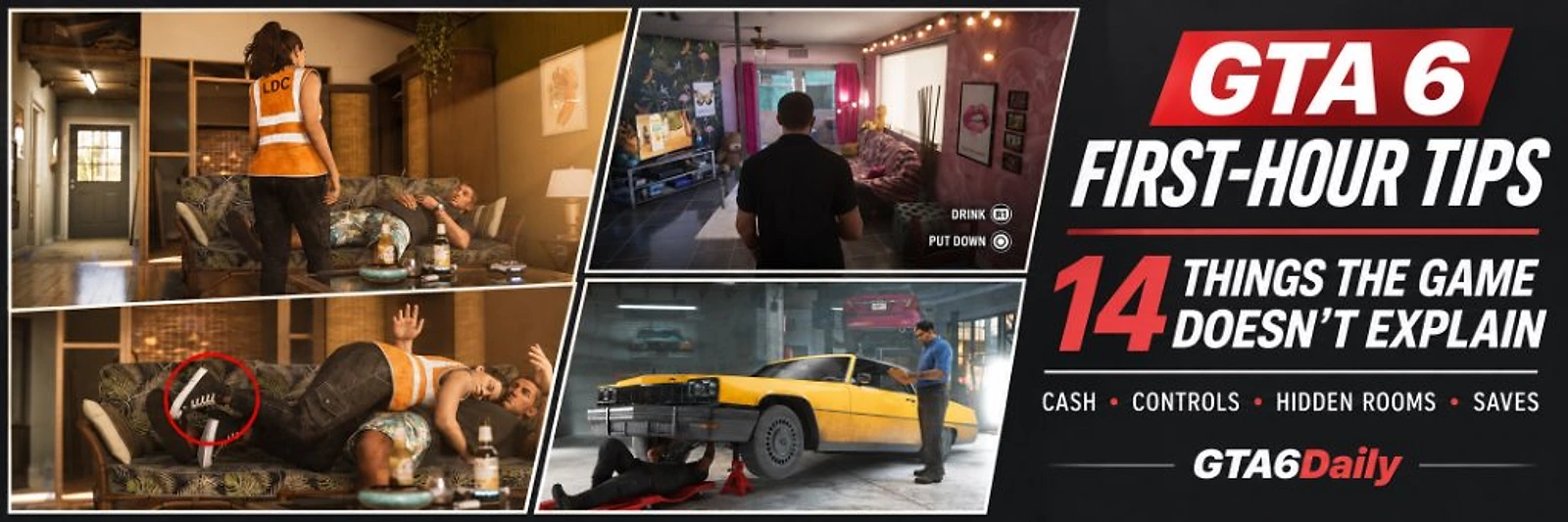
Starting Grand Theft Auto VI for the first time? Before you spend hours exploring Vice City and the rest of Leonida, there are several important gameplay mechanics you should understand. From hiding your cash under Jason's bedroom floorboards to discovering hidden rooms through the minimap, GTA 6 includes useful features that are easy to overlook during the opening missions.
Rockstar Games has introduced several new systems that change how players explore, drive, fight, manage money and interact with the open world. Some features are explained through short tutorial messages, while others require players to discover them on their own.
For example, did you know that you can identify enterable buildings using different shades of blue on the world map? You can also use Focus Mode to identify doors that are safe to enter, find hidden rooms and discover additional entrances.
There are also important financial and progression details. Until the Buck Me mission unlocks banking, carrying large amounts of cash can be risky. And because GTA VI does not offer mission replay at launch, making manual saves is more important than many players realise.
<callout type="tip" title="Featured-Snippet Summary"> The best GTA 6 beginner tips are to keep your minimap visible, learn the new L3 sprint controls, hide cash under Jason's bedroom floorboards, use Focus Mode to find accessible doors, save manually and repair vehicles through your mechanic after Just A Scratch. </callout>
In this GTA6Daily beginner's guide, we have collected 14 useful things to know before getting too far into the campaign, including practical controls, hidden features, settings adjustments and money-saving tricks.
Last updated: November 19, 2026.
---
GTA 6 Beginner Tips: Quick Overview
| No. | Tip | Why It Matters |
|---|---|---|
| 1 | Fix your minimap settings | Better navigation across Leonida |
| 2 | Learn the new sprint controls | Move faster without tiring your thumbs |
| 3 | Relearn the controller layout | Avoid GTA V muscle-memory mistakes |
| 4 | Adjust subtitles and UI | Better readability during intense dialogue |
| 5 | Hide your cash | Avoid losing hard-earned money upon arrest or death |
| 6 | Identify enterable buildings | Explore more interiors using map color codes |
| 7 | Search minimap for hidden rooms | Discover secret areas and backrooms in shops |
| 8 | Use Focus Mode correctly | Identify doors, inspect safes and improve awareness |
| 9 | Understand day and night | Plan missions, store visits and activities effectively |
| 10 | Repair damaged vehicles | Avoid abandoning valuable cars on the road |
| 11 | Use the adaptive speed limiter | Control cruising speed with DualSense resistance |
| 12 | Create manual saves | Protect story progress without mission replay |
| 13 | Use the D-pad and Brief | Find missed objectives and critical instructions |
| 14 | Customize gameplay settings | Make combat, driving and mini-games more comfortable |
---
1. Keep Your Minimap Visible and Adjust Navigation Settings
One of the first things worth checking is your minimap. Unlike previous GTA games, GTA VI offers more flexibility over how navigation information appears on screen. Some players prefer the traditional always-visible minimap, while others may prefer the dynamic navigation system that fades out during quiet moments.
If you frequently explore unfamiliar locations, having the minimap permanently visible can make travelling around Leonida easier.
How to keep the minimap visible:
- Open the Pause Menu.
- Select Settings.
- Open the UI or Navigation options.
- Find the Minimap Display setting.
- Choose the Always Visible option if you prefer traditional GTA navigation.
Also check the available display preferences, including units of measurement (Imperial vs Metric), text size and compass options.
<callout type="tip" title="GTA6Daily Tip"> Set your preferred units and minimap behaviour early. It saves you from repeatedly opening the settings menu later when navigating complex highway junctions around Vice City. </callout>
---
2. GTA 6 Sprint Controls Are Different From GTA 5
<callout type="info" title="Important Control Change"> This is one of the first things GTA V players must learn. In GTA VI, simply pushing the movement stick forward does not automatically make your character run or sprint, nor do you tap the face button repeatedly. </callout>
The default movement system works via stick clicks:
PS5 Running and Sprint Controls
| Action | Control (PS5) | Control (Xbox) |
|---|---|---|
| Walk | Move Left Stick | Move Left Stick |
| Run | Click L3 once | Click LS once |
| Sprint | Click L3 a second time | Click LS a second time |
| Change movement behaviour | Settings > Gameplay > Movement | Settings > Gameplay > Movement |
If repeatedly clicking L3 becomes uncomfortable during long foot chases, GTA VI provides a Movement Speed setting that lets you adjust how your character moves. This is particularly useful for players who prefer continuous movement or single-toggle running without repeatedly pressing the stick.
---
3. Forget Your GTA 5 Controller Muscle Memory
Rockstar has changed several familiar controller functions. Players returning from GTA V may instinctively press the wrong buttons during combat, exploration or character interactions.
Important Default Controller Layout
| Action | PS5 Control | Xbox Series X | S Control |
|---|---|---|---|
| Jump and climb | Cross (X) | A | |
| Crouch | Circle | B | |
| Melee attack | Square | X | |
| Interact | Triangle | Y | |
| Open map | Touchpad | View button | |
| Open phone | D-pad Up | D-pad Up | |
| Open radio | D-pad Left | D-pad Left | |
| Objectives and minimap | D-pad Down | D-pad Down | |
| Holster weapon | L1 | LB | |
| Take cover | R1 | RB |
One particularly important detail is that Down on the D-pad is no longer the GTA V character-switching shortcut. GTA VI uses a dedicated partner interaction mechanic. You can learn the exact switching mechanics in our guide on [How to Change Characters in GTA 6: Switch Between Jason and Lucia](/news/gta-6-how-to-change-characters-jason-lucia).
---
4. Fix Your Subtitle Settings Before the First Major Cutscene
GTA VI features nuanced conversations, character dialogue and rich environmental radio storytelling. However, the default subtitle settings may not be ideal on large television screens or monitors.
ViceManual's first-hour guide reports that subtitles initially appear only during missions, use a small text size, and do not display a background or speaker names by default. You can change these options before getting too far into the campaign.
Recommended Subtitle Settings:
- Open Pause Menu > Settings > UI.
- Open Subtitles and Captions.
- Increase the Subtitle Text Size by at least one level.
- Enable the Subtitle Background (semi-transparent black plate) to prevent white dialogue text from blending into sunlit Leonida beaches.
- Enable Speaker Names to identify characters speaking off-camera or over the radio.
These adjustments make a massive difference during busy conversations, chaotic driving sequences and multi-character shootouts.
---
5. Hide Your Cash Before You Unlock Banking
<callout type="warning" title="Easy Mistake to Avoid"> This is arguably the most vital money-saving tip for new GTA VI players. Early in the game, Jason does not have access to an online bank account. </callout>
Until the early-story mission Buck Me unlocks banking, you will carry all your money as physical cash. If Jason dies or gets arrested by Leonida law enforcement, hospitals and police precincts will deduct a steep penalty from your wallet.
Fortunately, there is a hidden money stash in Jason's bedroom.
Where to Hide Cash in GTA 6:
- Visit Jason's house in Key Lento.
- Enter his bedroom.
- Look for the loose floorboards beside the bed.
- Interact with the floorboards prompt.
- Deposit the cash you are carrying.
The floorboard stash also reveals additional narrative depth about Jason's past through hidden photographs and personal items. Make it a habit to store your money before undertaking risky heists, store robberies or volatile police encounters. Once you complete Buck Me and unlock banking, you can transfer money digitally.
For a complete walkthrough of early chapter missions, check our [Complete Gone Fishing Walkthrough](/news/gta-6-gone-fishing-mission-walkthrough).
---
6. Discover Which Buildings You Can Enter Using the World Map
GTA VI contains hundreds of accessible businesses, shops, diners and residential interiors. However, not every door in the state can be breached. A useful trick is to examine the building colours on your in-game world map:
- Darker Blue Buildings: Interior or entrance available. These locations house accessible lobbies, pawn shops, convenience stores, diners, bars or heist targets.
- Lighter Blue Buildings: Exterior structures with no accessible public entrance indicated on the map.
Instead of walking around every city block hoping to find an unlocked door, inspect the map first to prioritize buildings with real interiors.
---
7. Your Minimap Can Reveal Hidden Rooms and Staircases
While the world map helps locate accessible properties, your minimap provides tactical indoor awareness. When exploring a shop, motel or warehouse, observe the minimap as you approach doors and partition walls:
- Look for thin white lines near walls, which indicate usable doors and private doorways.
- Hidden staircases leading to upstairs apartments often only populate on the radar when you step inside the ground-floor hallway.
- Back offices behind convenience store counters and pawn shops frequently contain safes, cash registers or contraband lockers.
<callout type="tip" title="GTA6Daily Tip"> Do not rush out of shops immediately after completing a purchase or robbery. Check your minimap radar for secondary rooms, breakrooms and rear alleys. </callout>
---
8. Use Focus Mode to Identify Doors and Improve Awareness
Focus Mode is one of the most useful features for exploration, stealth, and criminal reconnaissance. You can activate it at any time by pressing both analogue sticks simultaneously:
- PS5: Press L3 + R3.
- Xbox: Press LS + RS.
Focus Mode desaturates the environment and highlights interactable objects, dropped loot, weapons and door security statuses.
Focus Mode Door Indicators
| Door Indicator | Meaning | Tactical Advice |
|---|---|---|
| White Highlight | Door can be entered | Safe to open quietly or enter without triggering security |
| Red Highlight | Door is alarmed | Opening will trigger silent alarms or dispatch police |
Bonus: Feed Jason's Pet Snake Dolores & Safehouse Grooming
Jason keeps a pet snake named Dolores inside a terrarium at his Key Lento home. Interacting with the enclosure to feed Dolores grants an early Focus Mode buff, extending its duration.
Additionally, taking a shower at Jason's safehouse instantly refills your character's Focus meter and boosts stamina recovery.
---
9. Pay Attention to the Day and Night Cycle
GTA VI features a realistic, extended day-and-night cycle. The time of day directly influences store operating hours, pedestrian density, police patrol routes, and mission availability:
- Certain pawn shops, barbers and beauty salons close their doors after sunset.
- High-risk illegal street races and specific gang activities only trigger after dark.
How to Check and Advance In-Game Time:
- Check the time: Press D-pad Up to pull up Jason or Lucia's smartphone; the clock displays prominently on the lock screen.
- Advance time: Return to Jason's safehouse and sleep in his bed to skip forward through the clock and wake up during daylight hours.
---
10. Don't Abandon a Damaged Car: Call Your Mechanic
<callout type="info" title="Unlocks After 'Just A Scratch'"> In previous GTA titles, heavily battered vehicles often had to be scrapped or carefully nursed into a Pay 'n' Spray. In GTA VI, you have on-demand roadside assistance. </callout>
After completing the early-game mission Just A Scratch, players unlock the mechanic contact on their smartphone.
How to Request Roadside Car Repairs:
- Complete the Just A Scratch mission.
- Open your smartphone with D-pad Up.
- Select Contacts and call your Mechanic.
- Request roadside vehicle repair.
- Wait briefly as your mechanic arrives in a service van to restore your vehicle for a modest fee.
This prevents you from having to abandon customized rides or rare muscle cars following an intense high-speed police chase. For further customization details, read our guide on [How to Change Hair in GTA 6: Salons and Grooming](/news/gta-6-how-to-change-hair-salon-locations).
---
11. Use the Adaptive Speed Limiter While Driving
For players on PlayStation 5, Rockstar has integrated the DualSense controller's adaptive triggers into vehicle handling via the Adaptive Speed Limiter.
When pulling the R2 trigger, you will feel a defined resistance threshold midway through the press:
- Rest your finger lightly against this resistance point to maintain a steady cruising speed that matches surrounding civilian traffic.
- Cruising at the speed limit prevents aggressive police attention in monitored zones and makes navigating tight Vice City alleys far more manageable.
- Push through the resistance wall to engage full acceleration and high-speed throttle.
---
12. Make Manual Saves Because GTA 6 Has No Mission Replay
<callout type="warning" title="Critical Story Warning"> According to launch-era technical guides verified by PowerPyx, GTA VI does not offer traditional mission replay or chapter select at launch. </callout>
Once you complete a story mission or make an irreversible campaign decision, you cannot simply reopen the pause menu and replay it for a better medal rating. Manual saving is your only protection against missed opportunities.
How to Save GTA 6 Manually:
- Press Options (PS5) or the Menu button (Xbox).
- Navigate to the Game tab.
- Select Save Game.
- Choose one of the 15 available manual save slots.
- Confirm the save file.
Best Manual Saving Strategy:
- Chapter Start: Create a clean manual save at the start of each chapter.
- Chapter End: Create another dedicated save immediately upon concluding a chapter.
- Pre-Heist: Save before major robberies and high-stakes criminal jobs.
- Alternate Slots: Never overwrite your only recent manual backup; alternate across slots 1 through 5.
Note: The Save Game menu is accessible during free roam, but is disabled while actively engaged in story missions or wanted levels.
---
13. The D-pad and Brief Menu Can Save You From Missing Instructions
GTA VI provides concise HUD prompts that can easily disappear during frantic gunfights or high-speed getaways. Use the D-pad and Brief menu to recover missed instructions:
D-pad Quick Functions
| D-pad Direction | In-Game Function |
|---|---|
| Up | Open smartphone |
| Left | Change radio station / track |
| Down | Display current mission objectives and expand minimap |
| Right | Detonate thrown explosives (C4 / Pipe Bombs) |
If you ever miss dialogue cues or tutorial prompts:
- Open the Pause Menu and select the Brief section.
- Review recent character dialogue transcripts and missed help notifications.
- Inspect the Progress tab for the Story Recap, which provides a summary of previous missions if you take a break from the game.
---
14. Customize Accessibility and Gameplay Settings Early
Rockstar Games has built extensive gameplay customization into GTA VI, allowing players to tailor the experience to their preferred playstyle:
- Accessible Combat: Reduces incoming bullet spread and adds forgiving lock-on snapping for players who want to focus on story.
- Simplified Mini Games: Streamlines lockpicking, safe-cracking and hacking sequences.
- Reduced Vehicle Damage: Prevents wheels from detaching or engines from seizing after severe head-on collisions.
- Tap Assist & Hold Assist: Replaces rapid button-mashing quick-time events with single button holds.
- Aim Assist Strength: Fine-tunes target acquisition between Free Aim, Assisted Aim, and Full Lock-on.
Streamer Mode & Photo Studio:
If you plan to broadcast gameplay on Twitch or YouTube:
- Navigate to Settings > Audio > Mute Licensed Music to replace copyrighted radio hits with original instrumental score.
- Access Photo Studio from the pause menu to capture cinematic 4K screenshots with custom focal lengths, depth of field and filters.
---
Additional GTA 6 Beginner Mistakes to Avoid
- Don't rush Chapter 1: Take time to explore Key Lento, talk to local NPCs and inspect Jason's safehouse before triggering major story milestones.
- Don't ignore optional blue mission markers: Certain encounters and strangers are time-sensitive and can disappear as the overarching plot advances.
- Don't assume locked doors are impenetrable: Check for alternate windows, rear fire escapes, or use Focus Mode to locate unmonitored side entries.
- Don't walk around with thousands in cash: Stash money under Jason's floorboards until the Buck Me mission unlocks digital banking.
- Don't overwrite your only save: Keep chapter backups in case you want to revisit specific missions.
- Don't neglect character switching: Switch between Jason and Lucia regularly to experience unique dialogue and regional interactions.
For complete mission lists and chapter milestones, visit our [GTA 6 Missions List and Chapter Walkthrough](/news/gta-6-missions-list-all-chapters-walkthrough).
---
What should I do first in GTA 6?
Start by adjusting your minimap and subtitle settings, learning the new L3 running controls and becoming familiar with the map. Once Jason's home becomes available, locate the hidden cash stash under his bedroom floorboards.
How do you sprint in GTA 6?
On default PS5 controls, click L3 once to run and click it again to sprint. On Xbox Series X|S, use LS. You can also adjust the Movement Speed option in Settings > Gameplay.
Can you enter every building in GTA 6?
No. Darker blue buildings on the world map indicate accessible interiors, while lighter blue buildings do not have enterable public entrances. The minimap will also reveal individual doorways and rooms as you draw close.
How do you find hidden rooms in GTA 6?
Observe your minimap radar as you approach interior doors and shop counters. Secret rooms, staircases, and private offices will populate with white outlines on the radar when you are in proximity.
Where can Jason hide money in GTA 6?
Jason can store cash beneath loose floorboards in his bedroom at his Key Lento home. This is essential for protecting your funds before the Buck Me mission unlocks digital banking.
How do you manually save GTA 6?
Open the Pause Menu, navigate to Game, and select Save Game. You can save your progress during free roam using one of the 15 available manual save slots.
Can you replay GTA 6 missions?
PowerPyx confirms that GTA VI does not offer mission replay or chapter select at launch. Players must create manual saves before key missions if they wish to replay them later.
How do you repair vehicles in GTA 6?
After completing the mission Just A Scratch, you can call your mechanic through the smartphone contacts menu. The mechanic will drive out to your location and repair your car for a small fee.
How do you activate Focus Mode in GTA 6?
Click L3 and R3 simultaneously on PS5, or LS and RS on Xbox. Focus Mode highlights interactable objects and helps distinguish between safe doors (white) and alarmed doors (red).
How do you change the time of day in GTA 6?
Check the current time using your smartphone clock (D-pad Up). To advance time forward, return to Jason's safehouse and sleep in his bed.
Is there an Easy Mode in GTA 6?
There is no traditional difficulty selector. However, players can enable settings like Accessible Combat, Simplified Mini Games, and Reduced Vehicle Damage under the Accessibility and Gameplay menus.
Is there a GTA 6 performance mode on PS5?
Launch-era analysis from ViceManual reports no dedicated 60 FPS Performance mode toggle on PS5 at launch. The game runs on a unified presentation with visual adjustments available in the Display menu.
---
Final Verdict: Learn These GTA 6 Tips Before Exploring Leonida
Grand Theft Auto VI introduces deep, nuanced gameplay systems that reward patient, attentive players. Protecting your money early, mastering the new stick-click sprint controls, using Focus Mode during heists, and maintaining disciplined manual saves will keep your opening hours smooth and enjoyable.
Explore both Jason and Lucia's capabilities, investigate every dark-blue property on the map, and keep your vehicle in running condition through your mechanic.
Ready to explore every corner of Leonida? Open our [interactive GTA6Daily Leonida Atlas](/map) to explore county borders, districts, bank jobs, and hundreds of discovered points of interest across the state.